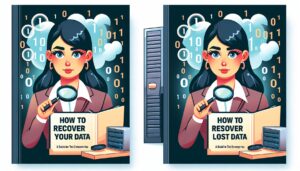

Preventing Data Loss Before It Happens: Smart Practices for Everyday Users
Read Time:3 Minute, 48 Second
Hello, fellow tech enthusiasts! We often talk about how to recover data once it’s lost, but what if you could stop that loss from happening in the first place? While recovery tools and techniques are essential, prevention is always better than a cure. Today, let’s explore the world of data protection through everyday habits and smart technology use. Whether you’re managing a business system or just storing family photos, these practices can save you from panic down the line.
Understanding the Risk of Data Loss
Think of your computer or smartphone as a library. Every book, every page, and every note matters. Now imagine if a fire swept through that library overnight. The books might be gone forever. That’s what data loss can feel like: sudden, devastating, and often avoidable.
Data loss doesn’t only happen because of system crashes or viruses. Sometimes, it’s as simple as spilling coffee on your laptop or forgetting to safely eject a USB drive. Knowing the risks helps you prepare before disaster strikes.
Why Prevention Matters
Recovering lost data is not always guaranteed. The deeper the corruption, or the longer you wait, the lower the chance of restoring files. On the other hand, if you create strong prevention strategies, you cut down on stress and cost. Businesses can avoid downtime, and individuals can avoid heartbreak over irreplaceable memories. Prevention is about being proactive, not reactive.
Everyday Strategies for Data Protection
So, how can you keep your information safe? Let’s walk through a few proven practices that blend simplicity with effectiveness.
Regular Backups
Imagine you’re working on a novel, and your computer crashes. If you had yesterday’s copy saved to the cloud, you’d only lose a day of work instead of the whole project. Backups are your safety net.
Cloud storage services like Google Drive, OneDrive, or Dropbox make automatic backups simple. For larger files or sensitive data, external drives provide another layer of safety. The key is consistency, set a schedule, and don’t skip it.
Antivirus and Security Updates
Cyber threats evolve constantly. If your system isn’t protected, malicious software can corrupt or steal files before you realize what’s happening. Keeping your antivirus software updated, along with regular system updates, ensures you’re protected against new attacks.
Smart File Organization
Have you ever deleted the wrong file because your folders were a mess? A simple organization can prevent that. Label folders clearly, separate personal from work files, and avoid dumping everything on your desktop. This habit saves time and reduces the risk of accidental deletions.
Hardware Care
Your devices need care, too. Overheating, dust build-up, and physical damage are silent killers of storage drives. Simple steps like using a cooling pad for laptops, keeping devices clean, and avoiding rough handling can extend the life of your hardware.
Tools That Can Help
Just as we rely on data recovery tools when things go wrong, some tools can help prevent problems from arising.
-
Backup Software: Tools like Acronis True Image or Macrium Reflect automate backup tasks, ensuring you never forget.
-
Cloud Syncing: Services such as iCloud or Dropbox keep files accessible across multiple devices, reducing the risk of losing them entirely.
These tools don’t require advanced technical skills, just a willingness to set them up once and let them do the work in the background.
The Role of Awareness and Habits
Even the best tools won’t help if habits don’t align. Think of it like locking your front door: you can have the best lock in the world, but if you forget to turn the key, your house isn’t secure. Building habits around safe data practices, checking backups, installing updates, and handling hardware carefully is where true protection begins.
Final Words: Prevention is Peace of Mind
While data recovery gives us hope when things go wrong, prevention gives us peace of mind before they do. By treating your data as something valuable, like a family heirloom, you’ll naturally want to protect it.
Backups, updates, and simple care may seem small, but together, they create a shield around your digital world. Prevention doesn’t require you to be a tech expert; it requires consistency, attention, and respect for the value of your information.
So, next time you sit down at your computer, ask yourself: if I lost everything today, would I be ready? If the answer is yes, then you’re already ahead of the curve. Stay safe, stay proactive, and remember, protecting your data today saves you from heartache tomorrow.


Happy
0 %

Sad
0 %

Excited
0 %

Sleepy
0 %

Angry
0 %

Surprise
0 %
 0
0
 0
0